Redesign
Zynga PlayApp
Designing an Internal QA Tool for Large Scale Game Development
Team
1 Product Designer (me)
1 Design Mentor
1 Product Manager
Focus
Internal Systems
Operational Clarity
Scalable State Management
Timeline
2 months
Overview
Zynga’s game testers relied on manual workflows to test builds, report bugs, and communicate issues across teams.
I led the redesign of an old internal mobile application that centralized game testing workflows, improved reporting clarity, and reduced friction between QA, product, and engineering teams.
This tool was used internally and designed under real production constraints, tight timelines, and evolving requirements.
Problem Definition
Operational Friction
Testers used multiple different tools (excel, slack, email, etc.) to log bugs, track builds, and communicate issues, slowing down testing cycles.
Information Gaps
Bug reports often lacked consistent structure, making it difficult for developers to quickly understand and resolve issues.
Scalability Challenges
Existing workflows did not scale well across multiple games, builds, and testing sessions.
Business and Team Goals
1
Improve testing efficiency and clarity
2
Standardize bug reporting across teams
3
Reduce feedback loops between QA and developers
4
Support faster iteration cycles during game development
User Goals
Speed
Log issues quickly without breaking testing flow.
Clarity
Ensure bugs are documented with consistent, actionable information.
Visibility
Track testing progress and reported issues in one place.
Constraints & Scope
Internal tool used by key stakeholders found within the company
Had to integrate with existing Zynga workflows and systems
Tight development timelines tied to active game releases
Designed for testers with varying technical experience
Research & Insights
I collaborated closely with QA testers (employees with different roles within the company) to understand their daily workflows, pain points, and reporting needs.
Key Insight
Testers needed structured guidance when reporting bugs, not more fields. Reducing cognitive load was more impactful than adding flexibility.
This insight shaped the decision to use predefined states, templates, and guided reporting flows.
Solution & Design Process
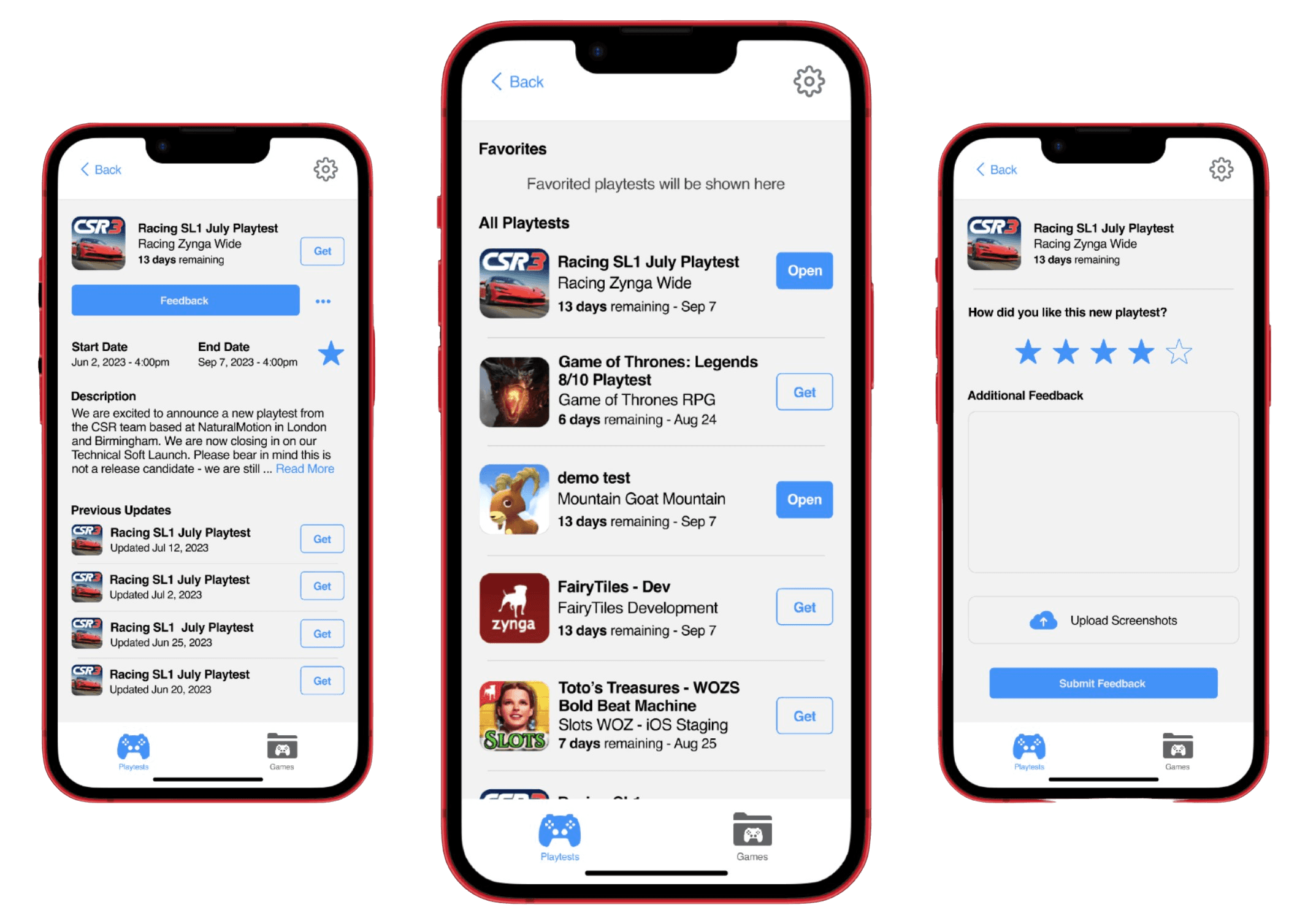
I designed a mobile-first internal tool focused on clarity, speed, and consistency.
Key features included:
Structured bug reporting with predefined states and fields
Build and session tracking to reduce duplicate reports
Clear handoff points between QA and engineering
Status visibility to track progress and resolution
The design prioritized function over aesthetics, ensuring the tool supported real production workflows rather than idealized processes.
Design Challenge #1: Game Promotion
How might we increase new employee participation in testing and exploring new games?
Design Challenge #2: Feedback Feature
How might we enhance the accessibility and functionality of obtaining feedback from users?
Design Challenge #3: Favourites Feature
How might we increase visibility and awareness of the Favourites feature to encourage its use and demonstrate its benefits?
Design Challenge #4: Playtests
How might we organize and display playtest information to enhance the readability, accessibility, and management of current and historical playtests?
Tracking KPI's
While my designs had not fully been developed by the time my internship had ended, I left KPIs that could be tracked to test for effectiveness
Design Challenge #1: Game Promotion
KPI: Increase in Employee Participation in Game Testing
Metric: Percentage increase in the number of unique users engaging with game testing.
Baseline: Current number of unique users participating in game testing.
Target: Achieve a 30% increase in participation within the first three months post implementation.
Design Challenge #2: Feedback Feature
KPI: Enhanced Feedback Submission
Metric: Number of feedback submissions received through the in app feedback feature.
Baseline: Current number of feedback submissions through external tools (e.g., email).
Target: Reduce external feedback submissions by 80%, with a corresponding increase in app feedback submissions.
Design Challenge #3: Favourites
KPI: Utilization of the Favourites Feature
Metric: Number of users utilizing the Favourites feature.
Baseline: Current usage rate of the Favourites feature.
Target: Achieve a 50% increase in the usage of the Favourites feature within two months.
Design Challenge #4: Playtests
KPI: Improved Playtest Management
Metric: User satisfaction with playtest information accessibility and organization.
Baseline: Current satisfaction levels measured through user surveys and feedback.
Target: Improve user satisfaction ratings by 25%, as measured by post implementation surveys.
Takeaway
Internal tools succeed when they reduce cognitive load, not when they add flexibility
Designing for production workflows requires prioritizing clarity over aesthetics
Collaboration with non design stakeholders is critical in operational products